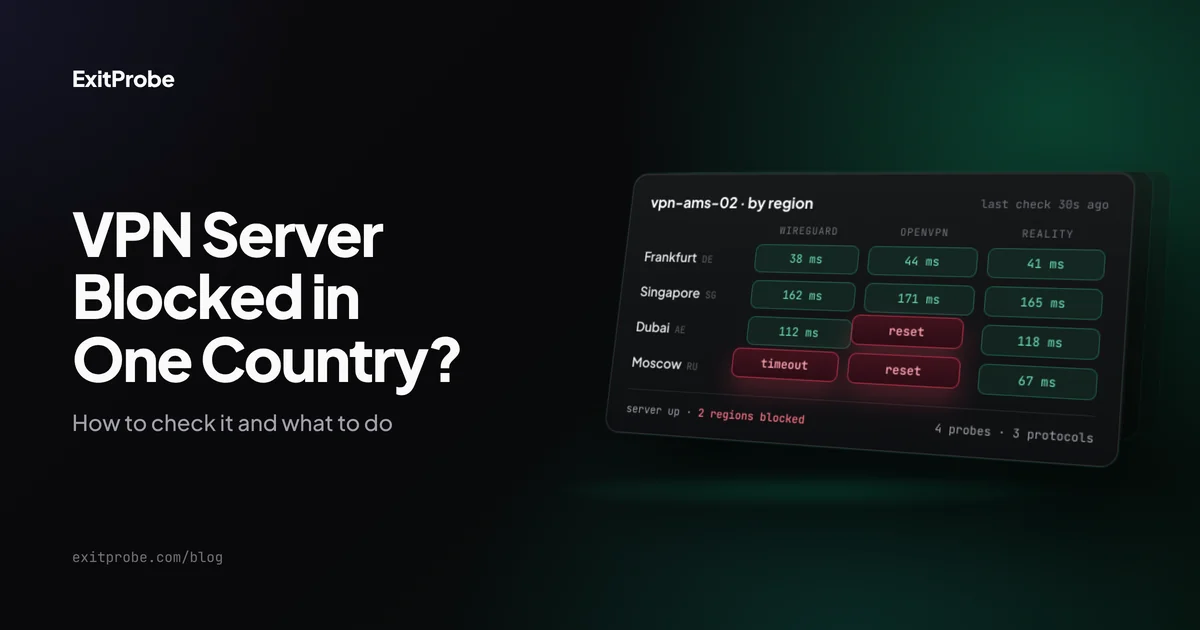
Your monitoring says every server is up. Support says users in one country can't connect. Both can be true at the same time.
When a VPN server works from most of the world but fails from one country, one ISP or one mobile carrier, the problem usually isn't the server. Something on the path, often a national firewall or the ISP itself, is blocking or slowing that traffic. Your checks run from data centers outside that network, so they keep passing.
This guide shows how to tell regional blocking apart from an ordinary server problem, how to test from the affected country, and what you can do once you know which kind of blocking you're dealing with.
Server problem, routing problem or blocking?
Start by asking where it fails. The pattern tells you a lot before you run a single command:
| What you see | Most likely |
|---|---|
| Fails from everywhere, including your own checks | A server problem: service down, config change, expired certificate |
| Fails from one country on all ISPs, works everywhere else | National blocking |
| Fails on one ISP or mobile carrier, works on others in the same country | ISP-level blocking or a routing problem |
| One protocol fails, another protocol on the same server works | Protocol blocking (DPI) |
| Connects, then gets very slow or freezes after a while | Throttling |
| Started right after an IP change or a new server launch | The new IP or range may already be on a blocklist |
Two things make this harder than it looks. First, blocking changes over time: a server can work in the morning and fail in the evening, or work for weeks and then stop. Second, users describe all of it the same way: "the VPN doesn't work". Ask affected users for their country, ISP, whether they're on mobile data or home internet, and the protocol their app used. Those four answers usually point you in the right direction.
What regional blocking looks like on the wire
Not all blocking works the same way, and the fix depends on the type. These are the most common.
IP blocking
The simplest form: the server's IP address is on a blocklist, so traffic to it is dropped or rejected. Everything to that IP fails from the affected network, whatever the port or protocol. Ping fails too, unless ICMP is handled separately.
IP blocks often cover whole ranges, not single addresses. A brand-new server can be blocked from day one if its range was used for VPNs before, or if the provider's range is blocked in bulk.
Port or protocol blocking
The IP is reachable, but specific traffic isn't. For example, TCP 443 works, but the UDP port your WireGuard server uses gets nothing back. Or UDP is blocked or limited on a mobile carrier while TCP works. WireGuard, OpenVPN and IKEv2 all have recognizable traffic, and some networks block them by port, by packet pattern, or both.
Signs: a plain TCP connection to the port works, or other ports on the same IP work, but the VPN handshake never completes.
DPI and protocol fingerprinting
Deep packet inspection looks at the packets themselves to recognize the protocol. The connection may start normally, then get reset or silently dropped once the firewall identifies it. Protocols with a clear signature in their first packets, like OpenVPN and WireGuard, are easy to identify. Protocols designed to look like ordinary web traffic, like VLESS Reality, are harder, though not impossible.
Signs: the handshake starts, then fails part way, often with resets or timeouts in the client log. The same server and port work from other countries.
TLS and SNI blocking
For protocols that run over TLS, a firewall can block based on the server name (SNI) in the handshake. If your Reality or Trojan setup uses a server name or target site that's blocked in a country, your server is blocked along with it. We cover how this affects Reality in VLESS Reality not working.
Throttling
Some networks don't block VPN traffic outright, they make it unusable. Connections are slowed down, long-lived UDP flows are limited, or connections freeze after a certain amount of data. The Hysteria 2 docs note that some ISPs throttle long UDP connections on a single port, which is why Hysteria offers port hopping.
Signs: the connection works at first, speed tests look terrible, and users say it "keeps dropping".
DNS and API blocking
Sometimes the VPN servers are fine but the app can't reach your API to fetch the server list or log in, because your domain is blocked or poisoned by DNS in that country. The user sees "can't connect", but no connection to a VPN server was ever attempted.
Signs: your server logs show no connection attempts at all from that country, and your API logs show traffic from there dropping off.
How to check if a VPN server is blocked in a country
1. Rule out the server first
Before blaming the network, make sure the server works at all. Connect with a real client from your own location and from at least two other regions, and check that traffic comes out of the server's exit IP. If it fails from everywhere, it's not regional blocking. For the usual server-side causes, see why ping works but your VPN doesn't.
2. Get a test point inside the affected network
You can't see regional blocking from outside the region. You need a vantage point in the country, ideally on the same type of network your users have:
- A user who is willing to help. Ask them to run a few commands or share app logs.
- A small VPS in that country. Good for repeated tests, but data center networks are often filtered differently from home and mobile networks.
- Public measurement networks. Globalping and RIPE Atlas let you run ping, traceroute and DNS tests from probes in many countries. OONI Explorer publishes censorship measurements by country and network, which helps you see what's already being blocked there.
For example, with the Globalping CLI:
globalping ping 203.0.113.10 from Russia --limit 3
globalping traceroute 203.0.113.10 from Iran
These tests show whether the IP is reachable. They can't run a VPN handshake, so they won't catch protocol blocking or DPI.
3. Test layer by layer
From the test point, go from the bottom up and note where it stops:
-
Reachability: does
pingor a traceroute reach the server's IP? -
TCP port: does a plain TCP connection open?
nc -vz 203.0.113.10 443 -
UDP port: UDP is hard to test without the real protocol, because servers like WireGuard don't answer packets they can't authenticate. Use the real client instead.
-
Handshake: does the VPN client complete its handshake?
-
Traffic: do pages load through the tunnel, at normal speed?
The layer where it stops tells you the type. Fails at step 1: IP blocking. Step 2 fails while other ports work: port blocking. Handshake starts and fails: protocol blocking or DPI. Works, but slow or freezing: throttling.
4. Compare with something that works
A single failed test doesn't prove much. Compare it with:
- Another IP in the same data center. If that one works from the same test point, your IP or range is blocked.
- Another port on the same server. If a different port works, it's port blocking.
- Another protocol on the same server. If VLESS Reality works and WireGuard doesn't, it's protocol blocking.
- Another network in the same country. If home internet works and mobile data doesn't, it's the carrier.
5. Find where the packets stop
A traceroute or mtr from the test point shows where packets stop. If they die at a hop inside the user's ISP or at the country's border, before reaching your hosting provider, the block is on their side:
mtr -rwc 50 203.0.113.10
mtr -T -P 443 -rwc 50 203.0.113.10
The second command uses TCP to port 443, which shows the path real traffic takes when ICMP is filtered.
What to do when a server is blocked
What works depends on the type of blocking:
- IP blocked: move the server to a new IP, preferably from a different range or provider. Keep spare IPs ready so you can swap fast, and don't put all users of one country on a single IP.
- Port blocked: move to a different port. For UDP protocols, Hysteria 2's port hopping spreads traffic over many ports.
- Protocol blocked (DPI): offer a protocol designed to look like normal web traffic for that region, such as VLESS Reality, alongside your standard protocols. A modern Shadowsocks setup is also more resistant than OpenVPN or plain WireGuard, though not immune.
- SNI blocked: change the server name or Reality target to one that isn't blocked in that country.
- API or DNS blocked: give the app fallback ways to reach your API, such as alternative domains, and ship a cached server list with the app.
Blocking is a moving target. A fix that works this month can stop working next month, so treat it as something you monitor, not something you solve once.
Monitor from where your users are
The core problem with regional blocking is visibility. A check from your own data center tells you the server is up. It says nothing about whether users in a specific country can reach it, and that's what they care about.
What you need is a real client running real handshakes, sending traffic through the tunnel and checking the exit IP, from probes in different regions, with results kept per region. A failure in one region then shows up as exactly that, and you can see the moment it started.
That's how ExitProbe works. Every check runs a real tunnel for each protocol, WireGuard, OpenVPN, IKEv2, VLESS Reality, Hysteria 2, Trojan, Shadowsocks or VMess, from edge probes in multiple regions, and verifies the handshake, exit IP and latency, with leak detection. Incidents are scoped to the protocol and probe that failed, so "WireGuard down from one region, everything else fine" is what you see, not a vague "server down".
For the full picture of what to monitor across a VPN fleet, see our complete guide to VPN server monitoring.
Frequently asked questions
How do I know if my VPN server is blocked in a specific country?
Test it from inside that country, with the same protocol your users use. If it works from other regions and fails only there, and the server's own logs show no problem, it's most likely blocking. Test layer by layer (ping, TCP port, handshake, traffic) to see what kind.
Why does my VPN work on Wi-Fi but not on mobile data?
Mobile carriers often filter differently from home ISPs. Some block or limit UDP, or block specific VPN protocols. Try a TCP-based or obfuscated protocol on the same server to confirm.
Can a new VPN server be blocked from the start?
Yes. Blocklists often cover whole IP ranges. If the range was used for VPNs before, or your hosting provider's ranges are blocked in bulk, a new server can be blocked on day one.
Which VPN protocols are hardest to block?
Protocols designed to look like normal HTTPS traffic, such as VLESS Reality, are harder to detect than OpenVPN, WireGuard or IKEv2, which have recognizable traffic patterns. No protocol is unblockable, so test from the regions your users are in.
See which regions can actually reach your servers. Start free with ExitProbe and run real tunnel checks from multiple regions.
Add a server as a monitor and ExitProbe runs the full session from outside, then verifies the exit IP.