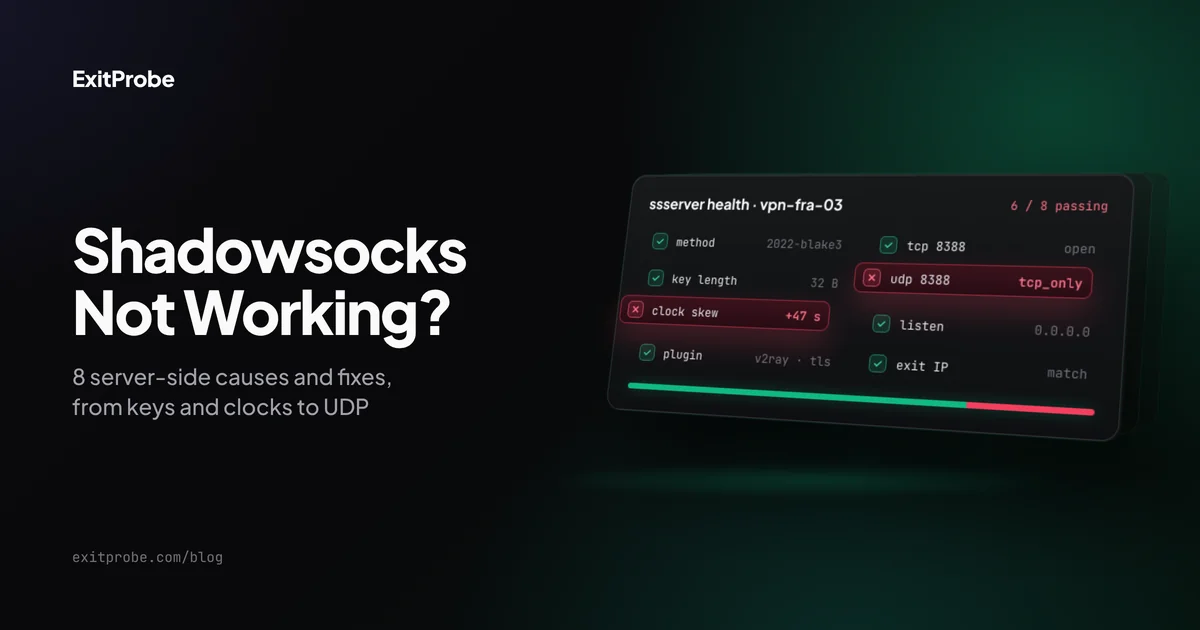
A user says your Shadowsocks server stopped working. Their app shows "connected", but nothing loads. Or it times out. On the server, the log is quiet, or full of lines that don't say much.
That's normal for Shadowsocks. It's built to look like random bytes on the wire, so it gives away as little as possible, including to you. A wrong password and a blocked port can look the same from the client side.
This guide shows how to test a Shadowsocks server properly from the command line, then walks through the 8 most common server-side reasons Shadowsocks is not working, with what to check for each. The examples use shadowsocks-rust (ssserver / sslocal) and its JSON config. The same settings exist in shadowsocks-libev, Outline and most panels, sometimes under slightly different names.
Test it like a client, not with ping
A ping or an open TCP port tells you very little. Shadowsocks only answers clients that use the right method and password, so the only real test is a real client.
On any machine outside the server, start a local client with the same settings your users have:
sslocal -b "127.0.0.1:1080" -s "SERVER_IP:8388" -m "chacha20-ietf-poly1305" -k "PASSWORD"
Then send a request through it and check where it comes out:
curl --socks5-hostname 127.0.0.1:1080 https://ifconfig.me
If it prints your server's IP, TCP through the tunnel works. If it hangs or fails, keep sslocal running and watch both logs while you try again. On the server:
journalctl -u shadowsocks-rust -f
The unit name depends on how you installed it. With the Debian/Ubuntu package of shadowsocks-libev it's shadowsocks-libev.
Use what you see to narrow it down:
| What you see | Most likely | Causes |
|---|---|---|
| Nothing in the server log at all | Packets aren't reaching the server | 4, 5, 8 |
| Server log shows handshake, decrypt or authentication errors | Wrong method, password or key | 1, 2, 3 |
| Websites load, but DNS, calls or games don't | UDP isn't relayed | 4 |
| Works for a while, then fails from one network or country | Blocking | 8 |
| Only clients with a plugin fail | Plugin mismatch | 6 |
8 reasons Shadowsocks is not working
1. The method doesn't match
Client and server must use exactly the same encryption method. There's no negotiation: if the server runs aes-256-gcm and the client is set to chacha20-ietf-poly1305, the server just can't decrypt anything the client sends.
The usual AEAD methods are aes-128-gcm, aes-256-gcm and chacha20-ietf-poly1305. The newer Shadowsocks 2022 methods start with 2022-blake3-, for example 2022-blake3-aes-256-gcm. A 2022 method on one side and an older method on the other will never work, even with the same password.
Check the server's config:
{
  "server": "0.0.0.0",
  "server_port": 8388,
  "method": "chacha20-ietf-poly1305",
  "password": "...",
  "mode": "tcp_and_udp"
}
Then compare method with the client, character for character.
2. The password is wrong, or the 2022 key has the wrong length
With the older methods, the password can be any string, and a typo is the most common problem. Connection links (ss://...) encode the method and password together, so an old link after a password change breaks every client that still uses it.
Shadowsocks 2022 is stricter. The "password" is a base64-encoded key of a fixed length: 16 bytes for 2022-blake3-aes-128-gcm, and 32 bytes for 2022-blake3-aes-256-gcm and 2022-blake3-chacha20-poly1305. An ordinary password, or a key of the wrong length, won't work. Generate a valid key with:
openssl rand -base64 32
Use 16 instead of 32 for the AES-128 method. shadowsocks-rust can also generate one with ssservice genkey -m "2022-blake3-aes-256-gcm".
3. The clocks are too far apart (Shadowsocks 2022)
Shadowsocks 2022 puts a timestamp in each connection to stop replay attacks. If the client's clock and the server's clock differ by more than about 30 seconds, the server rejects the connection. Everything else can be perfect.
This tends to hit some users and not others, which makes it confusing: phones with automatic time are fine, while a router or a PC with a drifting clock fails. Check the server first:
timedatectl
Make sure "System clock synchronized" says yes and NTP is active. Then check the time on the client device.
4. The firewall allows TCP but not UDP, or UDP is turned off
Shadowsocks relays TCP and, optionally, UDP on the same port. Two separate things have to be right:
-
The firewall must allow both TCP and UDP on that port, on the server itself and in your cloud provider's firewall:
ufw allow 8388/tcp ufw allow 8388/udp -
The server must actually relay UDP. In shadowsocks-rust, set
"mode": "tcp_and_udp", since the default is TCP only. In shadowsocks-libev, runss-serverwith-uor set"mode": "tcp_and_udp"in the config.
Without UDP, web pages often still load, so the server looks fine. But anything that needs UDP fails: DNS when the client sends it through the tunnel, voice and video calls, many games and QUIC. Users report it as "some apps don't work".
5. The server listens on the wrong address or can't bind the port
Check what the server is really listening on:
ss -tulpn | grep 8388
Use your real port. Things to look for:
-
Nothing listed. The service didn't start. Check
systemctl statusand the log for the reason, often a JSON syntax error in the config. -
127.0.0.1:8388. The server only accepts local connections. Set"server"to0.0.0.0(all IPv4 addresses) or::for IPv6. -
Only IPv6, or only IPv4. If clients connect by a domain that has both A and AAAA records, the server must listen on both, or the record for the missing one should be removed.
-
A port below 1024 (like 443) without root. The service fails with "permission denied". Give the binary permission to use low ports, or use a higher port:
sudo setcap cap_net_bind_service=+ep /usr/local/bin/ssserver
6. The plugin doesn't match
Many setups wrap Shadowsocks in a plugin such as v2ray-plugin (WebSocket, optionally with TLS) or the older simple-obfs. When a plugin is used, it has to match on both sides: same plugin, same mode, same host and path.
"plugin": "v2ray-plugin",
"plugin_opts": "server;tls;host=vpn.example.com"
Common mistakes: the server uses a plugin and the client doesn't (or the reverse), the plugin binary isn't installed or isn't in the service's PATH, TLS is on one side only, or the host doesn't match the certificate. With TLS, an expired certificate breaks every client at once, so check its date too. simple-obfs is no longer maintained, so it's worth moving off it.
7. The implementation or method is outdated
Old stream ciphers such as rc4-md5, aes-256-cfb and chacha20 (without -ietf-poly1305) are insecure and deprecated. Many current clients and servers no longer support them, or only in special builds. A server set up years ago with a stream cipher can stop working for every user who updates their app.
The same happens the other way around: an old client may not support Shadowsocks 2022 methods, or newer plugin options.
Move servers to an AEAD method or a 2022 method, and keep server software up to date. Newer releases have also fixed weaknesses that made older servers easier to detect, which matters for the next cause.
8. The server is blocked in some networks or countries
Shadowsocks is designed to be hard to recognize, but servers do get blocked by IP, by port, or after detection. Researchers have documented that the Great Firewall of China identifies likely Shadowsocks servers from traffic patterns and then sends active probes, connections that imitate clients, to confirm before blocking. Other national firewalls and some corporate networks block proxies too.
Symptoms: the server works from your office and from most places, but fails from one country, one mobile carrier or one ISP. Often the IP stops responding entirely in that region, while everything else works.
You'll only see this by testing from those networks. What helps:
- Use an AEAD or 2022 method on a current server, with replay protection on.
- Change the IP or port of a blocked server.
- For heavily filtered regions, offer a protocol built to look like normal TLS traffic. We cover the most common one in VLESS Reality not working.
If it connects but pages still don't load
If sslocal connects and the server log shows clean connections but traffic still fails, the problem is past Shadowsocks. Check the server's own internet access and DNS, firewall rules on outbound traffic, and whether the server's IP is blocked by the sites users visit. We walk through these in why ping works but your VPN doesn't.
Catching Shadowsocks failures before users do
Almost none of these problems show up in normal monitoring. The port is open, the process is running and the machine answers ping, while a changed password, a disabled UDP relay, a drifting clock or a block in one country stops users from connecting.
The reliable signal is the same test you ran above, done automatically: a real Shadowsocks client that connects with your users' settings, sends traffic through the tunnel and checks the exit IP, on a schedule and from several regions.
That's what ExitProbe does. You paste the server's ss:// link, choose probe locations, and every check brings up a real Shadowsocks connection, then verifies the exit IP and latency, with leak detection. Results are kept per probe, so a server blocked in one country shows up as exactly that, not as a vague "server down". ExitProbe checks WireGuard, OpenVPN, IKEv2, VLESS Reality, Hysteria 2, Trojan and VMess the same way.
For the bigger picture across all protocols, see our complete guide to VPN server monitoring.
Frequently asked questions
Why does Shadowsocks say connected but nothing works?
Many clients show "connected" as soon as the local proxy starts, before anything reaches the server. The usual causes are a wrong method or password, a Shadowsocks 2022 clock difference, a closed firewall port, or blocking on the user's network. Test with sslocal and curl --socks5-hostname to see if traffic really comes out of the server.
Does Shadowsocks use TCP or UDP?
Both, on the same port. TCP is always relayed. UDP is only relayed when the server enables it ("mode": "tcp_and_udp"), and the firewall must allow UDP on that port as well.
What is the best Shadowsocks method to use?
Use a Shadowsocks 2022 method such as 2022-blake3-aes-256-gcm if all your clients support it, or chacha20-ietf-poly1305 / aes-256-gcm for wider client support. Avoid the old stream ciphers like aes-256-cfb and rc4-md5.
How do I generate a Shadowsocks 2022 key?
Run openssl rand -base64 32 for the 256-bit methods, or openssl rand -base64 16 for 2022-blake3-aes-128-gcm. The same key goes in the server's and the client's password field.
Find out about broken Shadowsocks servers before your users do. Start free with ExitProbe and run real Shadowsocks checks on your servers.
Add a server as a monitor and ExitProbe runs the full session from outside, then verifies the exit IP.