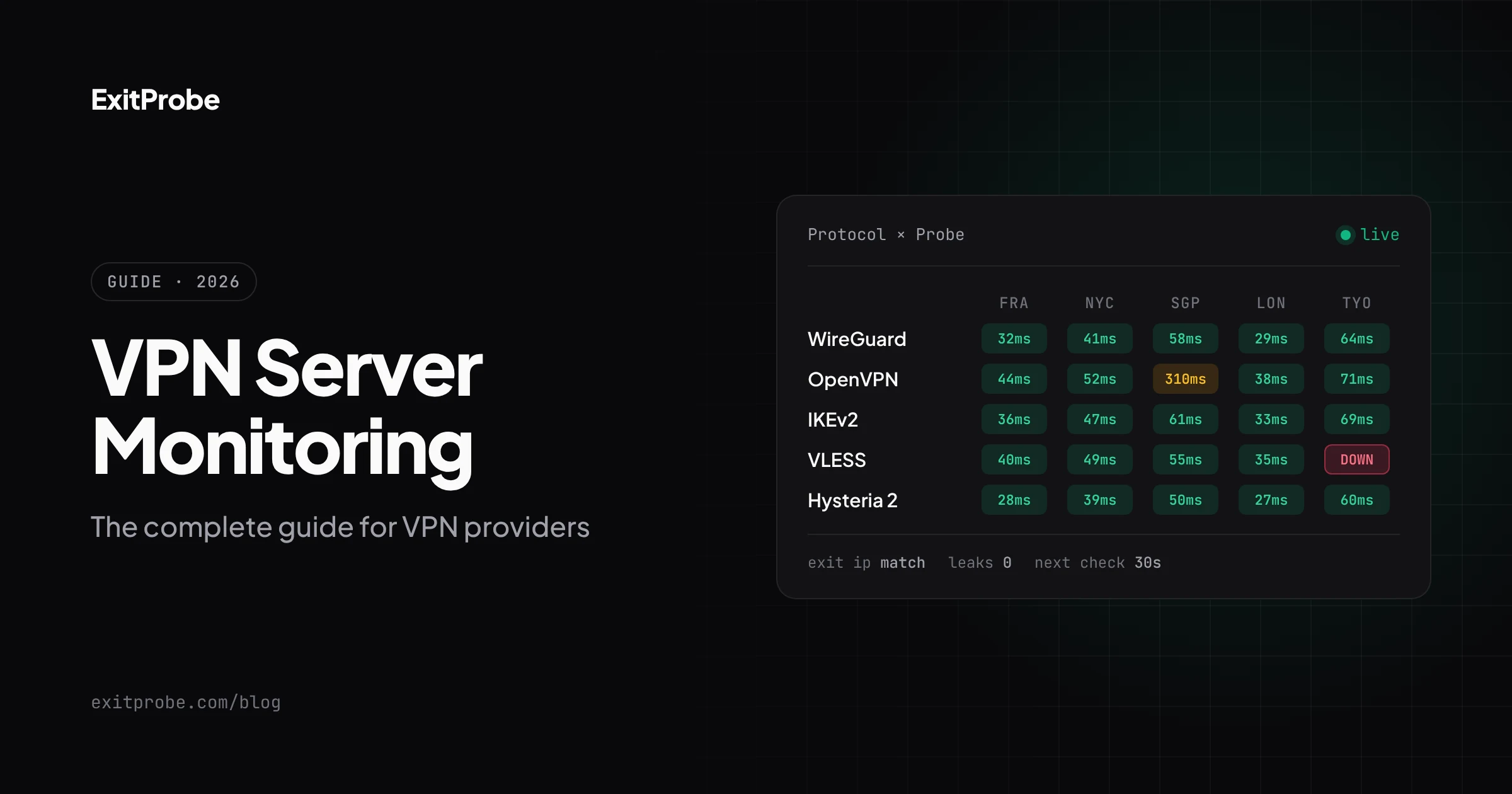
A VPN server can answer ping, keep its port open and show a green light on your uptime monitor while nobody can actually use it. The handshake fails, or the tunnel comes up but no traffic gets out, or it works from Frankfurt and not from anywhere your users live. Usually the first person to notice is a customer, and the second is your support team.
This guide covers what VPN server monitoring should look like if you run a VPN or proxy service: which checks matter, how each protocol tends to break, where to run checks from, how often, and how to alert without burying your team in noise.
What VPN server monitoring means for a VPN provider
Search for "VPN monitoring" and most results are about company networks: a few site-to-site IPsec tunnels between offices, watched by a network team. That is a different job.
A VPN provider has a fleet. Dozens or hundreds of public nodes, several protocols on each one, and users connecting from countries with very different networks and very different rules. The question is not "is the tunnel between our two offices up?" It is "can a real user, in a real country, connect to this node over this protocol right now and get to the internet through the IP we promised them?"
Good VPN server monitoring answers that question for every node, every protocol and every region you care about.
Why ping and port checks are not enough
Ping tells you the machine is on. A TCP or UDP port check tells you something is listening. Neither tells you the VPN works. Here are common failures that both checks miss completely:
- The handshake fails. A config push changed a key, a certificate expired, or a cipher setting no longer matches what clients use. The port is open; nobody gets in.
- The tunnel connects but carries nothing. IP forwarding got switched off after a reboot, a firewall rule changed, or NAT broke. Clients show "connected" and pages never load.
- DNS on the node is dead. The tunnel is fine, but every lookup times out, so to the user the VPN is "down".
- The exit IP is wrong. Traffic leaves through a different address than the one you sell for that location, or it leaks outside the tunnel.
- The node is blocked in one country. It works from your monitoring server and from most of the world, but deep packet inspection in one region kills the connection.
- The daemon hangs. The process is still running and holding the port, but it stopped accepting new sessions.
WireGuard makes this worse in a specific way: it runs over UDP and stays silent when it gets packets it can't authenticate. There is no error to catch. From the outside, a broken WireGuard server and a healthy one can look identical to a port check.
The six checks every VPN node needs
Think of these as layers. Each one proves a little more than the one before it.
1. Reachability
Ping and port checks still have a place. They are cheap and they catch the obvious stuff: the server is off, the provider has a network outage, the IP was reassigned. Just don't treat a pass here as proof the VPN works.
2. Protocol handshake
Run the real handshake for each protocol: a WireGuard handshake with a valid peer, an OpenVPN TLS negotiation, an IKEv2 security association, a VLESS Reality connection. This catches key, certificate and config problems, which are among the most common reasons a "healthy" server turns away every client.
3. Real traffic through the tunnel
A completed handshake still doesn't prove the tunnel is useful. Send real traffic through it and make sure a request goes out to the internet and comes back. This is the check that catches broken forwarding and routing.
4. Exit IP verification
Once traffic flows, check which IP it leaves from. It should match the exit IP you expect for that node. If it doesn't, you have a routing problem, or a user in "Germany" is browsing from somewhere else.
5. DNS and leak checks
Confirm DNS resolves through the tunnel and that no requests escape outside it. Leaks are the failures that hurt trust the most, because users usually find them with a leak-test site and post screenshots.
6. Latency, measured where users are
Record latency for every check from every probe location. A node that answers in 40 ms from Frankfurt and 400 ms from Singapore is "up", but users in Asia will tell you it's broken. Latency trends also warn you about overloaded nodes before they fall over.
Every protocol breaks in its own way
If you run more than one protocol, you need checks for each. A healthy WireGuard service on a node tells you nothing about the OpenVPN service on the same box.
| Protocol | Transport | Common failure a port check misses |
|---|---|---|
| WireGuard | UDP | No handshake after a key or peer change; UDP filtered on the path; fails silently |
| OpenVPN | UDP or TCP | TLS handshake failed: expired certificate, tls-auth/tls-crypt key mismatch, cipher mismatch |
| IKEv2/IPsec | UDP 500/4500 | Proposal mismatch, certificate problems, NAT traversal issues |
| VLESS (Reality) | TCP + TLS | Blocked in specific regions while reachable elsewhere; wrong SNI or destination settings |
| Hysteria 2 | UDP (QUIC) | ISPs throttling or blocking UDP; password or obfuscation mismatch |
| Trojan | TCP + TLS | Expired certificate; fallback misconfigured |
| Shadowsocks | TCP/UDP | Cipher or password mismatch after an update; detection and blocking |
Many of these come down to a config that doesn't match what clients expect. If you want to catch that before a server goes live, run its config through a checker like our free config inspector.
Monitor from where your users are
A monitor running in one data center sees the internet from one place. That's fine for "is the server on?" and close to useless for "can our users connect?"
Routing problems, ISP-level throttling and government blocking are regional. A VLESS node can be perfect from Europe and unreachable from a mobile network in a country that filters traffic. You only see that if you check from probes spread across regions, and test each protocol from each probe separately.
For networks you can't reach from public cloud regions, such as a specific mobile carrier or a country with restricted connectivity, the answer is a probe running inside that network. Some teams run their own small agent on a cheap machine there for exactly this reason.
How often should you check a VPN server?
There's no single right number, but here is a practical starting point:
- High-traffic or paid-tier nodes: every 30 to 60 seconds.
- Standard nodes: every 1 to 5 minutes.
- Low-use or backup nodes: every 5 to 15 minutes.
Faster checks find problems sooner but add load and produce more noise. Whatever interval you pick, confirm a failure before you page someone. A second failed check, or a failure seen from more than one probe, filters out most of the one-off network blips.
Alerts your team won't learn to ignore
The fastest way to break monitoring is to send so many alerts that people mute the channel. A few rules help:
- Make alerts specific. "VLESS on sgp-03 failing from Tokyo probe" is something an engineer can act on. "sgp-03 down" sends them hunting.
- Suppress flapping. A node that goes up and down every minute should open one incident, not sixty notifications.
- Use maintenance windows. Planned restarts and migrations shouldn't wake anybody up.
- Escalate. If the first person doesn't acknowledge, the alert moves to the next one.
- Send alerts where your team already is. Slack, Telegram, Discord, email, or a webhook into your own tooling.
Build it yourself or use a managed tool?
Building it yourself is possible, and plenty of teams start there. A typical setup is Prometheus and Grafana with a few exporters for WireGuard and OpenVPN stats, the blackbox exporter for reachability, and scripts on monitor boxes that bring up real client tunnels and test through them.
It works. The cost shows up later:
- Keeping client tooling up to date for every protocol you support.
- Running and maintaining monitor machines in several regions.
- Storing server configs and keys safely on those machines.
- Writing the alert logic yourself: confirmation, flapping, escalation.
If you have one or two protocols, a small fleet and a team that enjoys this kind of work, DIY can be the right call. Once you're running several protocols across many regions, the maintenance tends to grow faster than the fleet does.
That's the problem ExitProbe was built for. It brings up real tunnels from edge probes in multiple regions across eight protocols (WireGuard, OpenVPN, IKEv2/IPsec, VLESS Reality, Hysteria 2, Trojan, Shadowsocks and VMess). Each check verifies the handshake, the exit IP and latency, and looks for leaks. You add a server by pasting its config or connection URI. Incidents are scoped to the protocol and probe that failed, and alerts go to email, Slack, Discord, Telegram or a webhook. For teams that want the data in their own stack, there is a REST API and a Prometheus metrics endpoint, covered in the developer docs.
A starting checklist
- List every node and every protocol it serves.
- For each pair, set up a check that does a real handshake and sends traffic through the tunnel.
- Record the expected exit IP for each node and verify it on every check.
- Add DNS and leak checks.
- Run checks from at least two or three regions where your users actually are.
- Set check intervals by node importance, and confirm failures before alerting.
- Route alerts to the channel your team watches, with flapping suppression and escalation.
- Review latency and uptime trends every week, not only when something breaks.
Frequently asked questions
What is VPN server monitoring?
It's the practice of continuously checking that each VPN server can accept connections, complete a protocol handshake, pass real traffic through the tunnel and exit through the expected IP, ideally from the regions where users connect.
Is a normal uptime monitor enough for VPN servers?
No. Uptime monitors check that a host or port responds. A VPN server can pass those checks while handshakes fail, traffic doesn't flow or the node is blocked in certain countries.
How can I tell if my VPN server is blocked in a specific country?
Check it from a probe inside or near that country, using the same protocol your users use. If it passes from other regions and fails only there, you're most likely looking at regional blocking or a routing issue rather than a server problem.
How often should VPN servers be checked?
Every 30 to 60 seconds for important nodes and every few minutes for the rest is a good starting point. Confirm a failure with a second check or a second probe before alerting.
Want to see real tunnel checks on your own servers? Start free with ExitProbe. Paste a config, pick your probes, and see what your users see.
Add a server as a monitor and ExitProbe runs the full session from outside, then verifies the exit IP.