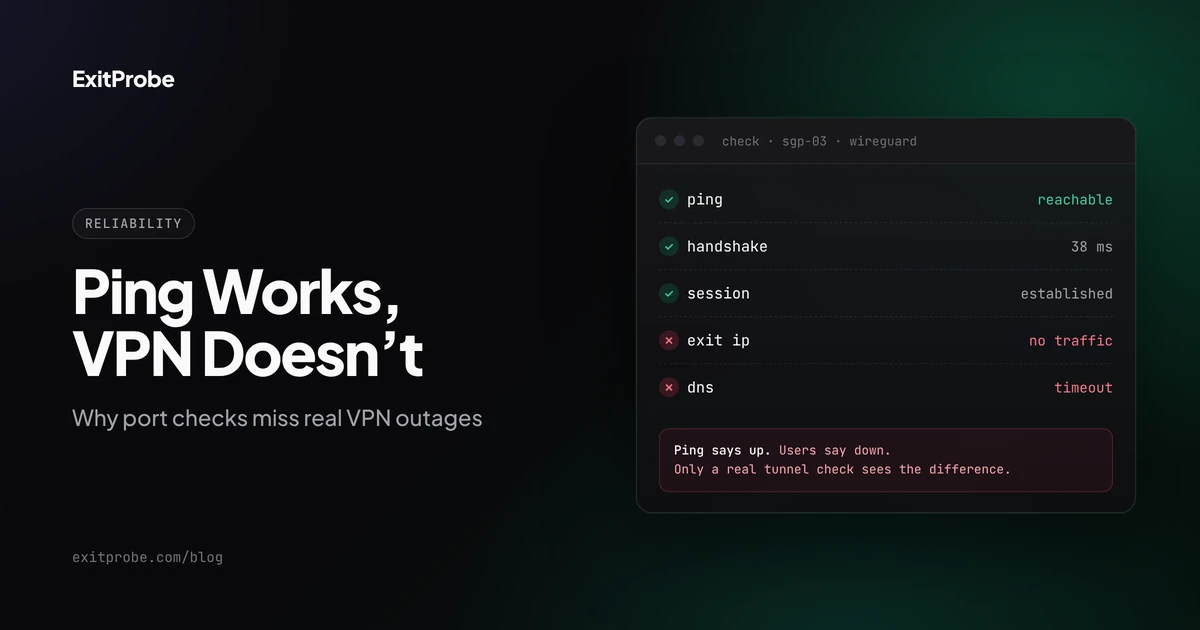
Your monitoring dashboard is green. The server answers ping and the VPN port is open, but support tickets keep coming in: "connected, but nothing loads", "stuck on connecting", "doesn't work from my country". If ping works but the VPN is not working, the problem is almost never the network path to the server. It's something ping and port checks were never built to see.
This post walks through what those checks actually prove, the most common ways a VPN server stays "up" while users can't use it, how to test each one by hand, and what a check needs to do to catch them automatically.
What ping and port checks actually prove
Most uptime tools offer three kinds of checks. Each one answers a narrow question:
| Check | What it proves | What it doesn't prove |
|---|---|---|
| Ping (ICMP) | The machine is on and reachable from the monitor's location | That any VPN service is running |
| TCP port check | Something is listening on that port | That a client can authenticate, or that traffic gets through |
| UDP port check | Very little (see below) | Almost everything |
None of these connect as a VPN client. They never do a handshake, never send traffic through a tunnel and never look at which IP the traffic comes out of. So every failure that happens after "the server is on and listening" is invisible to them.
7 ways a VPN server stays "up" while users can't connect
1. The handshake fails after a key or config change
Someone rotates a server key, pushes a new config or changes a cipher setting, and clients still have the old values. The port stays open; every connection attempt fails.
On a WireGuard server, check when each peer last completed a handshake:
wg show wg0 latest-handshakes
A value of 0 means that peer has never completed one. For an active client, the timestamp should be no more than a few minutes old, since WireGuard renews the session roughly every two minutes while traffic flows. On OpenVPN, look for TLS Error: TLS handshake failed in the server log.
2. A certificate expired
OpenVPN, IKEv2 and Trojan setups depend on certificates. When one expires, the service keeps running and the port stays open, but clients are rejected. It's one of the most common outages and one of the easiest to prevent:
openssl x509 -enddate -noout -in /etc/openvpn/server/server.crt
3. The tunnel connects, but nothing reaches the internet
The handshake succeeds, the client shows "connected", and pages never load. Usually IP forwarding was turned off after a reboot, or the NAT rule that sends tunnel traffic out of the public interface disappeared. Check both:
sysctl net.ipv4.ip_forward
iptables -t nat -L POSTROUTING -n -v
The first should return 1, and the second should show a MASQUERADE (or SNAT) rule for your tunnel subnet with its packet counter going up.
4. DNS inside the tunnel is broken
If the resolver your clients use through the tunnel stops responding, nothing that needs a domain name works. To the user, that looks exactly like "the VPN is down", even though traffic to raw IPs flows fine. From a connected client, query the VPN's DNS server directly:
dig @10.8.0.1 example.com
Replace 10.8.0.1 with the DNS address you push to clients.
5. MTU problems: it connects, then pages hang
Small packets pass and large ones get dropped, so pings through the tunnel work while HTTPS pages stall halfway through loading. This often shows up only on certain networks, such as some mobile carriers, which makes it hard to reproduce. Test from a connected client with a large packet that isn't allowed to fragment:
ping -M do -s 1372 1.1.1.1
If that fails while a normal ping works, lower the tunnel MTU and test again.
6. The server is out of connection capacity
Users who are already connected keep working, and new ones can't get in. A common cause on busy Linux nodes is a full connection-tracking table. The kernel log will say so:
dmesg | grep conntrack
If you see nf_conntrack: table full, dropping packet, the node needs a higher limit or less load. A check that only pings the server will never notice.
7. The server is blocked in one region
From your monitor in Europe, everything works. From a user's network in a country that filters VPN traffic, the connection dies during or right after the handshake. Ping may even still work from inside that country, because many filters target VPN protocols, not the IP itself. You can only see this by testing the actual protocol from inside or near that network.
Why UDP protocols make this worse
WireGuard, Hysteria 2 and IKEv2 all run over UDP. UDP has no connection setup, so a port check has nothing to wait for. WireGuard in particular stays silent when it receives packets it can't authenticate. A healthy WireGuard server and a dead one give a port scanner the same answer: no reply.
That means a "UDP port check" on a WireGuard server either always passes or always fails, depending on how the tool treats silence. Either way, it tells you nothing about whether users can connect. The only reliable test is to complete a real handshake with valid keys.
A 5-minute manual check from a client machine
When ping works but the VPN is not working for your users, and the dashboard shows nothing wrong, run through this from any Linux machine that can act as a client:
- Bring up the tunnel with a real client config, for example
wg-quick up ./test-node.conf. - Confirm the handshake with
wg show. You should see a recent "latest handshake" and received bytes above zero. - Send traffic through the tunnel and check the exit IP:
curl --interface wg0 https://ifconfig.me. It should return the node's expected exit IP, not your own. - Test DNS through the tunnel with
digagainst the DNS server you push to clients. - Test a large packet with the MTU ping above.
- Tear it down with
wg-quick down ./test-node.conf.
If all five pass from your location but users still complain, the problem is probably regional, and you need to run the same test from where those users are.
What a real VPN check needs to do
Doing this by hand works for one node during one incident. For a fleet, the same steps need to run on a schedule, for every node and every protocol it serves:
- Complete the real protocol handshake with valid credentials.
- Send traffic through the tunnel to the internet and back.
- Verify the exit IP matches what you expect for that node.
- Check DNS and look for leaks.
- Measure latency.
- Repeat from several regions, and confirm a failure from more than one probe before alerting.
We cover each of these layers, plus check intervals and alerting, in our complete guide to VPN server monitoring.
Automating it with ExitProbe
ExitProbe runs exactly this kind of check. It brings up real tunnels from edge probes in multiple regions and verifies the handshake, the exit IP and latency on every check, with leak detection included. It supports WireGuard, OpenVPN, IKEv2/IPsec, VLESS Reality, Hysteria 2, Trojan, Shadowsocks and VMess. Each protocol is checked from each probe separately, so a failure in one region shows up as exactly that, instead of a vague "server down".
Frequently asked questions
Why does ping work but my VPN doesn't?
Ping only proves the server is reachable. The VPN can still fail at the handshake (wrong keys, expired certificate), after the handshake (broken forwarding, NAT or DNS) or only in certain regions (protocol blocking). You need a check that connects as a real client to see these.
Can an uptime monitor check if a VPN server is working?
A standard uptime monitor can tell you the host is up and a port is open. It can't complete a VPN handshake or send traffic through the tunnel, so it misses most real VPN outages.
How do I check if a WireGuard server is working?
Connect with a valid client config, confirm a recent handshake with wg show, then send traffic through the tunnel and check the exit IP. A UDP port check alone can't tell you, because WireGuard doesn't reply to packets it can't authenticate.
Stop finding out from support tickets. Start free with ExitProbe and run real tunnel checks on your own servers.
Add a server as a monitor and ExitProbe runs the full session from outside, then verifies the exit IP.