Hysteria 2 is fast when it works. When it doesn't, the client usually prints one of a handful of errors, and the most common one tells you almost nothing:
failed to initialize client (connect error: timeout: no recent network activity)
That timeout can mean the server is down, the firewall is closed, the obfuscation password is wrong, or the network between you and the server is quietly dropping UDP. Because Hysteria 2 runs over QUIC on UDP, many of these problems look exactly the same from the client.
This guide shows how to read the client error first, then walks through the 8 most common reasons Hysteria 2 is not connecting, with a command or setting to check for each.
Start with the client error
When Hysteria 2 is not connecting, its own troubleshooting docs point to four errors you'll see most often. Each one points to a different part of the setup:
| Client error | What it usually means | Causes to check |
|---|---|---|
connect error: timeout: no recent network activity |
Nothing usable came back from the server | 1, 2, 3, 5, 7 |
authentication error, HTTP status code: 404 |
The server answered, but rejected the login | 4 |
CRYPTO_ERROR ... x509: certificate signed by unknown authority |
The TLS certificate didn't pass verification | 6 |
listen udp :443: bind: permission denied (server) |
The server never started on that port | 2 |
The timeout is the hard one, because several unrelated problems produce it. The rest of this guide helps you narrow it down.
On the server, watch the log while a client tries to connect. With the official install script the service is called hysteria-server:
journalctl -u hysteria-server -f
If the log shows nothing at all during the attempt, the client's packets probably aren't arriving. To confirm, watch for them directly:
tcpdump -ni any udp port 443
Use your real port. No packets means the problem is on the path. Packets arriving with nothing in the log points to obfuscation or the server process itself.
8 reasons Hysteria 2 is not connecting
1. The firewall allows TCP but not UDP
This is the most common cause by far. Hysteria 2 needs the UDP port open, and many setups only opened TCP, because that's what most other services use. Check both the server's own firewall and the firewall in your hosting provider's panel; they're separate, and both have to allow UDP.
ufw status
ufw allow 443/udp
If you use port hopping (cause 7), the whole UDP port range needs to be open, not just the main port.
2. The server isn't running or can't bind the port
If the server failed to start, every client times out. Check the service status and whether anything is listening on the UDP port:
systemctl status hysteria-server
ss -ulpn | grep 443
A common startup failure is bind: permission denied when listening on a port below 1024, like 443, without root. Either run the server as root or give the binary permission to use low ports:
sudo setcap cap_net_bind_service=+ep /usr/local/bin/hysteria
The Hysteria docs also mention a known problem with very old Linux kernels, such as on CentOS 7. If everything looks right and it still won't work on an old system, the kernel is a suspect.
3. Wrong address, port or DNS
The client's server value must point to the right host and port. If you use a domain, make sure it actually resolves to the server's current IP:
dig +short vpn.example.com
After a server migration, it's easy to update the server and forget the DNS record, or update DNS and forget that some clients have the old IP hardcoded.
4. The password is wrong
If the client reaches the server but its credentials are wrong, you get authentication error, HTTP status code: 404. The 404 is deliberate: Hysteria 2 looks like an ordinary HTTP/3 website, so a failed login gets an ordinary "not found" response instead of an obvious VPN error.
Check that the client's auth matches the server's auth settings. If the server uses userpass, the client needs the username:password format. And if a user was re-created in a panel, their connection link may have changed.
5. The obfuscation password doesn't match
This one is easy to miss, because it doesn't look like an auth problem. With salamander obfuscation, every packet is scrambled using a shared password. If the client's obfs password is wrong, or one side has obfuscation turned on and the other doesn't, the server can't read anything the client sends. The result is a plain timeout, not an authentication error.
The Hysteria docs say it directly: an incorrect obfuscation password results in a connection timeout. If you see a timeout and tcpdump shows packets arriving, compare the obfs section on both sides first.
6. Certificate or SNI problems
Hysteria 2 uses TLS, so the client has to trust the server's certificate. The usual failures:
-
Self-signed certificate. The client rejects it with
x509: certificate signed by unknown authority. Either use a real certificate (the built-in ACME support can get one), or pin the certificate on the client withpinSHA256. Get the fingerprint with:openssl x509 -noout -fingerprint -sha256 -in server.crtSetting
insecure: truealso makes the error go away, but it turns off certificate checking entirely, so treat it as a test, not a fix. -
SNI mismatch. If the client's
snidoesn't match a name on the certificate, verification fails. By default the client uses the host from itsservervalue. -
Ed25519 certificates. By default the client imitates Chrome's QUIC handshake, and according to the docs that handshake fails with an Ed25519 server certificate. Use an ECDSA or RSA certificate instead.
-
ACME can't renew. If you use ACME and the certificate expired, check that the validation method can still reach the server. HTTP and TLS validation need a TCP port open as well, which is easy to forget on a UDP-only firewall.
7. The network throttles or blocks UDP
Some networks treat UDP badly: corporate firewalls that only allow web traffic, hotel and airport Wi-Fi, some mobile carriers, and some countries. The Hysteria docs note that users in China sometimes see their ISP block or throttle long-lived UDP connections, often only on the specific port being used.
Symptoms: the server works from most places, but times out or drops after a while from one network or region.
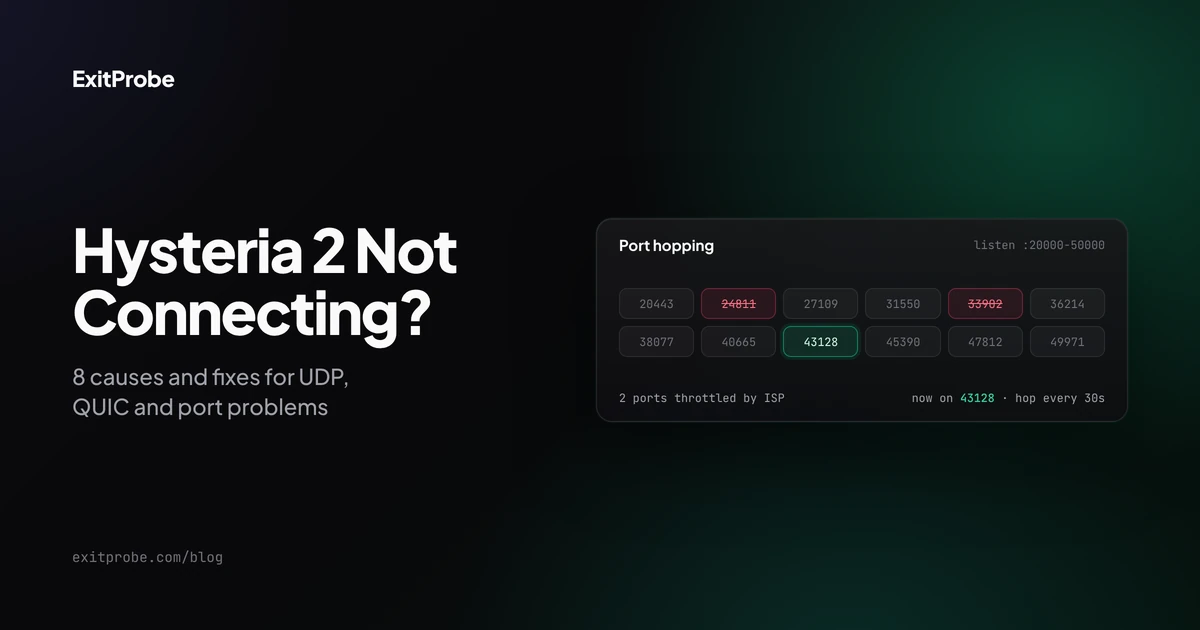
Port hopping is Hysteria's answer to per-port blocking. The client switches between many ports, and the server accepts all of them. On Linux, the server can set this up itself:
listen: :20000-50000
And on the client:
server: vpn.example.com:20000-50000
transport:
  udp:
    hopInterval: 30s
Port hopping only helps when specific ports are blocked. If a network blocks UDP entirely, no amount of hopping will get through, and you need a TCP-based protocol for those users.
8. Bandwidth settings are wrong
This one usually shows up as "connects, but slow or unstable" rather than "can't connect". Hysteria 2 uses the bandwidth values to decide how fast to send. The effective speed is the lower of the client's and the server's values.
If a client claims far more bandwidth than its connection really has, Hysteria sends too aggressively and makes things worse on bad networks. If it claims far too little, everything is slow. When users on one network complain about speed, check their client's up and down values before anything else. Leaving bandwidth out entirely makes Hysteria fall back to standard congestion control (BBR by default), which is a safer default for users who don't know their real speed.
Why UDP protocols are hard to monitor
Hysteria 2 has the same problem as every UDP-based VPN protocol: there's no connection to check. A port scanner sends a UDP packet and gets nothing back, whether the server is healthy or not. A ping only tells you the machine is on. We cover why this breaks normal uptime monitoring, using WireGuard as the example, in WireGuard handshake not working.
The only reliable test is a real client: complete the QUIC handshake with the right password, obfuscation and certificate settings, then send traffic through the tunnel and see where it comes out.
Catching Hysteria 2 failures before users do
Most of the causes above are silent from the server's side. A closed UDP port, a mismatched obfs password and a carrier that drops UDP all look like users who simply stopped connecting.
ExitProbe's Hysteria 2 monitoring runs a real Hysteria 2 client against each server from edge probes in multiple regions. Every check completes the handshake, sends traffic through the tunnel and verifies the exit IP and latency, with leak detection. Because each probe is checked separately, a network or country that blocks UDP shows up as exactly that, instead of a vague "server down".
If clients connect but pages still don't load, the problem is past Hysteria itself; see why ping works but your VPN doesn't. For the bigger picture across all protocols, see our complete guide to VPN server monitoring.
Frequently asked questions
What does "timeout: no recent network activity" mean in Hysteria 2?
The client didn't get a usable response from the server. Common causes are a closed UDP port, a server that isn't running, a wrong address, a mismatched obfuscation password, or a network that blocks UDP. Check whether packets reach the server with tcpdump to tell these apart.
Why does Hysteria 2 return a 404 error?
A 404 during connection means the password was rejected. Hysteria 2 responds like a normal HTTP/3 web server when authentication fails, so it returns "not found" instead of a VPN-specific error.
Does Hysteria 2 work if UDP is blocked?
No. Hysteria 2 runs over QUIC, which uses UDP. Port hopping helps when only certain ports are blocked or throttled, but if a network blocks UDP entirely, users on that network need a TCP-based protocol.
Should I use insecure: true in Hysteria 2?
Only for testing. It disables certificate verification. For production, use a real certificate or pin your self-signed certificate with pinSHA256.
Find out about broken Hysteria 2 servers before your users do. Start free with ExitProbe and run real Hysteria 2 checks on your servers.
Add a server as a monitor and ExitProbe runs the full session from outside, then verifies the exit IP.